How to Fix Samsung Dishwasher Error Code F2
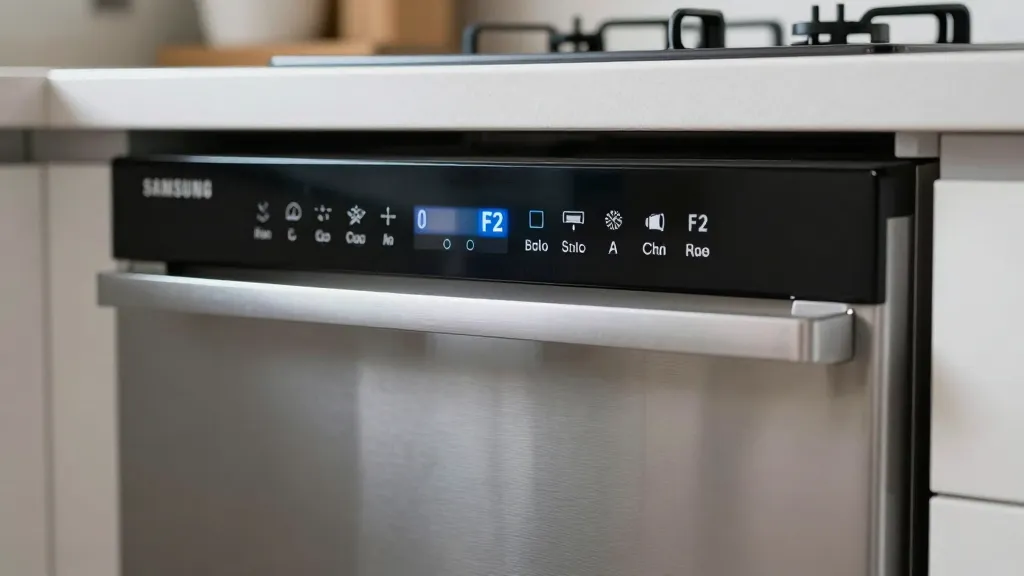
If your Samsung dishwasher is displaying the F2 error code, you're not alone. This code typically indicates an issue with the heating system, which can disrupt your dishwashing routine. Whether you're a homeowner or live in an apartment, understanding how to fix Samsung dishwasher error code F2 can save you time and money. This guide provides a clear, step-by-step approach to resolving the F2 error, empowering you to troubleshoot without professional help. We'll cover the meaning of the error, common causes, and practical solutions to get your dishwasher back in working order. By following these instructions, you can address the issue confidently and restore your dishwasher's performance.
Understanding the F2 Error Code on Samsung Dishwashers
The F2 error code on Samsung dishwashers is a diagnostic signal that points to an issue with the heating system. This error is part of a broader set of codes used by Samsung to identify specific malfunctions, helping users pinpoint the problem without requiring extensive technical knowledge.
What the F2 Error Code Means
The F2 error code typically indicates a problem with the dishwasher's heating system, which is crucial for effective cleaning and sanitization. When this error appears, it suggests that the dishwasher is unable to heat water to the required temperature, which can leave dishes unclean and potentially lead to bacterial growth. The error is designed to alert users to a malfunction that could affect the overall performance of the appliance.
Common Causes of the F2 Error
Common causes of the F2 error include a faulty heating element, thermostat, or wiring issues within the dishwasher's heating system. The heating element is responsible for warming the water, and if it fails, the dishwasher cannot reach the necessary temperature. Similarly, a malfunctioning thermostat can prevent the system from regulating heat properly. Wiring issues can also disrupt the flow of electricity to these components, leading to the F2 error. These problems can arise from wear and tear, electrical surges, or manufacturing defects, and they often require inspection and replacement of the affected parts.
Step-by-Step Guide to Fix Samsung Dishwasher Error Code F2
The first step in resolving the F2 error code is to ensure the dishwasher is completely powered down. Turn off the appliance at the circuit breaker and unplug it from the wall outlet. This allows the internal systems to reset and ensures your safety while performing further checks. It also helps prevent electrical surges that could damage sensitive components.
- Turn off the dishwasher and unplug it from the power source.
- Check for visible damage or loose connections in the wiring.
- Allow the dishwasher to cool down before restarting it.
- If the error persists, consult a professional technician.
Once the dishwasher is off, inspect the wiring and connections inside the unit for any visible damage, fraying, or loose connections. Look for signs of wear, especially around the heating element and thermostat. If you notice any issues, such as exposed wires or disconnected terminals, this could be the root cause of the F2 error. However, if you are not confident in handling electrical components, it is best to avoid this step and seek professional assistance.
After checking the wiring, allow the dishwasher to cool down for at least 30 minutes. The error code may be triggered by an overheating system, and cooling the unit can help reset the thermal protection mechanisms. Once it has cooled, plug the dishwasher back in and restart it to see if the F2 error persists. If it does, further troubleshooting or professional help may be required.
If the error continues after these steps, it is advisable to consult a qualified technician. The F2 error can indicate more serious issues, such as a faulty heating element, thermostat, or control board. Attempting to repair these components without proper knowledge can lead to further damage or safety risks. A professional can accurately diagnose and resolve the issue, ensuring your dishwasher operates safely and efficiently.
DIY Troubleshooting Tips for the F2 Error
DIY troubleshooting for the Samsung dishwasher error code F2 involves inspecting key components like the heating element, thermostat, and wiring. These parts are often responsible for the error, and simple checks can help identify and resolve the issue without professional assistance.
How to Test the Heating Element
To test the heating element, first unplug the dishwasher and locate the element at the bottom of the unit. Inspect it for visible signs of damage, such as cracks, burns, or discoloration. A damaged heating element can prevent the dishwasher from reaching the required temperature, triggering the F2 error. If the element appears intact, use a multimeter to check for continuity. A lack of continuity indicates a faulty element that needs replacement.
Checking the Thermostat and Wiring
Next, check the thermostat and wiring connections. The thermostat regulates the dishwasher’s temperature, and a faulty one can cause the F2 error. Use a multimeter to test the thermostat for proper resistance values. If the reading is outside the expected range, the thermostat may need replacing. Additionally, inspect the wiring for fraying, corrosion, or loose connections. Damaged wiring can disrupt the electrical signals, leading to improper heating and error codes. Ensure all connections are secure and free from debris to restore proper function.
When to Call a Professional for Samsung Dishwasher Error Code F2
If the F2 error code persists after you've completed the basic troubleshooting steps, it's time to call a professional. This could indicate a more serious issue, such as a faulty heating element or thermostat, which may require specialized tools and expertise to diagnose and repair. Attempting to fix these components without proper knowledge can lead to further damage or safety risks, especially if the dishwasher is not operating correctly.
Preventing Future F2 Errors on Samsung Dishwashers
Preventing future F2 errors on your Samsung dishwasher involves consistent maintenance and mindful usage. By following these key practices, you can significantly reduce the likelihood of encountering the F2 error and extend the lifespan of your appliance.
Maintenance Tips to Prevent the F2 Error
Regular maintenance is essential to keep your Samsung dishwasher running smoothly and prevent the F2 error. Start by cleaning the dishwasher's filter regularly, as food particles and debris can clog the system and affect performance. The filter is typically located at the bottom of the dishwasher, and it should be rinsed under running water to remove buildup. Additionally, inspect and clean the spray arms to ensure they rotate freely and distribute water effectively. A clogged spray arm can lead to inadequate cleaning and strain on the heating system, increasing the risk of the F2 error.
Best Practices for Dishwasher Operation
Adopting best practices for dishwasher operation can also help prevent the F2 error. Avoid overloading the dishwasher, as this can put unnecessary strain on the heating system and cause overheating. Only load dishes to the recommended capacity, ensuring proper water flow and cleaning efficiency. Use the correct type and amount of detergent, as excessive or incorrect detergent can lead to residue buildup and affect the dishwasher's ability to heat properly. Always follow the manufacturer's recommendations for detergent use to maintain optimal performance and avoid system malfunctions.
Frequently Asked Questions
What does the F2 error code mean on a Samsung dishwasher?
The F2 error code on a Samsung dishwasher indicates a problem with the heating system, such as a faulty heating element, thermostat, or wiring. It signals that the dishwasher is unable to reach the required operating temperature.
Can I fix the F2 error without calling a technician?
Yes, many F2 errors can be resolved by checking and resetting the dishwasher, inspecting the heating element, and ensuring proper wiring. However, if these steps fail, professional assistance may be needed.
How do I reset my Samsung dishwasher after an F2 error?
To reset the dishwasher, unplug it for 30 seconds, then plug it back in. If the error persists, turn off the power at the circuit breaker for a few minutes before restarting.
Is the F2 error code the same across all Samsung dishwasher models?
The F2 error code is generally consistent across Samsung dishwasher models, but specific causes and troubleshooting steps may vary depending on the model and its internal components.
Final Thoughts
Fixing the F2 error code on a Samsung dishwasher involves understanding its meaning, following a step-by-step guide, and applying DIY troubleshooting techniques. Regular maintenance and proper usage can prevent recurrence of the error.
If the error persists after your efforts, consider consulting a professional. Always refer to the user manual for model-specific instructions. Take proactive steps to ensure your dishwasher operates efficiently and reliably.