How to Keep Your Home Network Alive with a Mini PC
When internet and cellular connections fail, your home network can still stay alive—thanks to a mini pc keep home network alive setup. Many rely on constant connectivity for work, communication, and smart home devices, but a local network can operate without internet access. By using a mini PC as a central hub, you can maintain essential services even during outages. This article explores how to leverage a mini PC to keep your home network running when traditional connections drop. We’ll start by explaining how Wi-Fi and the internet differ, and why a local network can function independently. Next, you’ll learn how to choose the right mini PC and set it up as a reliable network hub. Finally, we’ll cover tips for maintaining security and performance in an offline environment. Whether you're a homeowner or a tech-savvy user, these steps will help you stay connected without relying on external services.
Why a Mini PC Can Keep Your Home Network Alive
In today's world, internet connectivity is essential for both personal and professional tasks. However, when your internet service goes down, your home network doesn't have to go offline. A mini PC can act as a backup network device, ensuring your devices remain connected through a local network. This section explores how Wi-Fi and internet access differ and why a local network is crucial for maintaining home connectivity during outages.
Understanding the Difference Between Wi-Fi and Internet
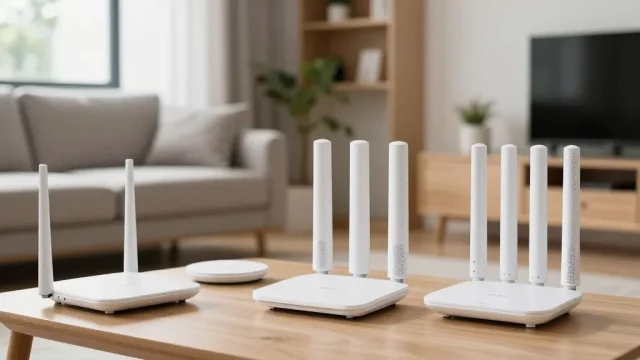
Wi-Fi and internet access are often confused, but they are distinct components of your network. Wi-Fi is the wireless technology that connects your devices to a router, while internet access refers to the connection to the global network via your internet service provider (ISP). Even if your internet service is down, your Wi-Fi router can still function, allowing devices to communicate within your home using a local area network (LAN). This means your devices can still share files, access local services, and maintain internal communication without needing an external connection.
The Role of a Local Network in Home Connectivity
A local network is vital for maintaining home connectivity during internet outages. It operates independently of the internet, using private IP addresses to allow devices to interact without relying on external servers. This setup is especially useful for tasks like file sharing, media streaming, and local application access. By setting up a local network with a mini PC, you can ensure critical services remain available even when your internet is down. A mini PC can act as a central hub for this network, providing power and connectivity through its built-in hardware and software capabilities.
The mini PC's role as a backup network device is significant. It can run a local server, manage file sharing, and support essential applications without internet access. This makes it an ideal solution for ensuring your home network remains functional during power outages or internet disruptions. By leveraging a mini PC's capabilities, homeowners and tech-savvy users can maintain their network's integrity and reliability, offering a practical alternative to traditional internet-dependent setups.
Choosing the Right Mini PC for Your Home Network
Selecting the right mini PC is crucial for ensuring your home network remains functional during internet outages. While many mini PCs offer basic computing capabilities, the best choices for network backup prioritize reliability, performance, and energy efficiency. Understanding which features to prioritize can help you choose a device that meets your offline connectivity needs without unnecessary complexity.
- Dual-band Wi-Fi support for better signal range and stability
- USB 3.0 or higher ports for fast data transfer
- Ethernet port for wired network connections
- Sufficient RAM and storage for running network services
- Low power consumption for extended uptime
Key Features to Look for in a Mini PC
When choosing a mini PC for network backup, prioritize models with dual-band Wi-Fi capabilities. This allows your device to connect to both 2.4GHz and 5GHz networks, improving signal range and reducing interference. Additionally, USB 3.0 or higher ports are essential for connecting external storage devices or peripherals that may be used offline. A reliable Ethernet port is also important for wired network connections, ensuring stable communication between devices.
Popular Mini PC Models for Network Backup
Popular mini PC models like the Intel NUC, ASUS VivoMini, and Zotac Zbox are known for their reliability and performance in network backup scenarios. The Intel NUC offers excellent processing power and expandability, making it ideal for running multiple network services. The ASUS VivoMini is compact and energy-efficient, perfect for users who want a low-power solution. Zotac Zbox models provide a balance between performance and power consumption, making them a versatile choice for home networks. When selecting a model, consider factors such as power consumption, cooling, and the availability of necessary ports to ensure your mini PC can support your offline network effectively.
Setting Up Your Mini PC as a Local Network Hub
Setting up your mini PC as a local network hub requires careful selection of hardware and a clear understanding of how to configure it for optimal performance. By ensuring all components are compatible and properly set up, you can create a reliable offline network that keeps your home devices connected during internet outages.
Hardware Requirements for a Local Network Setup
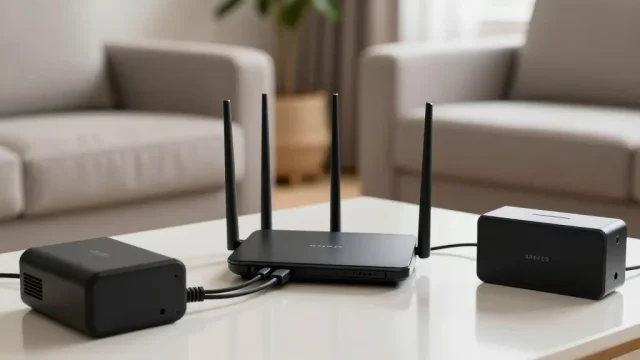
To set up a local network with your mini PC, you'll need a few essential hardware components. A reliable router is crucial, as it will manage the Wi-Fi signals and distribute internet access to your devices. Additionally, a switch or Ethernet cables can help connect multiple devices directly to the mini PC. A power supply and surge protector are also recommended to ensure the system remains stable during power fluctuations.
Step-by-Step Guide to Configuring Your Mini PC
Once you have the necessary hardware, the next step is to configure your mini PC as a local network hub. Start by connecting the router to the mini PC using an Ethernet cable. Then, install the required software, such as a local server application or network management tool, to enable file sharing and device communication. Ensure all devices on your network are set to connect to the same Wi-Fi or Ethernet network to maintain seamless communication. Finally, verify the settings to confirm that your mini PC is functioning as the central hub for your local network.
Keeping Your Home Network Running Without Internet
When your home internet goes down, many of your devices can still stay connected and functional through a local network. This section explores which services and applications can operate without internet access, along with strategies for maintaining file sharing and local tools to keep your network running smoothly.
Essential Services That Work Offline
A wide range of services can function offline, including file sharing, media streaming, and local printing. For instance, you can access shared folders on your network, stream media from a local NAS device, or print documents using a connected printer without needing internet access. Additionally, local servers can host services like a personal website or a home automation system, allowing you to manage your smart devices even when the internet is down. These tools rely on the local network’s internal communication, making them resilient to external disruptions.
Managing File Sharing and Local Applications
Managing file sharing and local applications requires some setup but is straightforward. You can use tools like Samba or FTP to share files across your network, ensuring that critical data remains accessible during internet outages. Local applications such as media servers, torrent clients, and even certain productivity tools can run independently, provided they are configured correctly. It’s also wise to maintain a local backup system, such as a NAS or an external hard drive, to ensure that important files are stored offline and can be recovered quickly if needed.
Tips for Maintaining Your Offline Home Network
Maintaining your offline home network requires consistent care to ensure it remains secure, efficient, and reliable. Regular updates, proactive security measures, and thoughtful data management are essential to keep your local network running smoothly, even without internet access.
- Update the mini PC’s operating system and software regularly.
- Install and configure firewalls to protect against local threats.
- Use strong, unique passwords for all devices and services.
- Schedule routine performance checks and network scans.
Maintaining Security and Performance
Maintaining security and performance in your offline home network involves regular updates and monitoring. Ensure your mini PC’s operating system and any local services are kept up to date with the latest patches and security fixes. This helps prevent vulnerabilities that could be exploited within your local network. Additionally, use built-in tools or third-party software to monitor network activity and detect any unusual behavior that might indicate a security threat.
Backup Strategies for Offline Networks
Backup strategies are crucial for preserving your data and ensuring continuity in an offline environment. Set up a regular backup schedule for important files and configurations, using external storage devices or local servers. This way, even if something goes wrong with your mini PC or local network, you can restore your data quickly. Consider using cloud backups for critical information, but ensure they are configured to work offline when necessary.
Frequently Asked Questions
Can a mini PC work as a router during internet outages?
Yes, a mini PC can act as a router during internet outages. By setting up a local network, it allows devices to communicate without internet access. This setup keeps essential services running even when the main internet connection fails.
How do I connect my devices to the mini PC network?
To connect your devices to the mini PC network, ensure the mini PC is set up as a router. Then, your devices can connect to the local Wi-Fi network created by the mini PC, just like any other router.
What should I do if my mini PC stops working as a network hub?
If your mini PC stops functioning as a network hub, check its power and connections. Ensure the router settings are correct and the mini PC is running the necessary software. If issues persist, restart the mini PC or consult the manual.
Is it possible to use a mini PC for both internet and offline tasks?
Yes, a mini PC can be used for both internet and offline tasks. When internet is available, it can connect to the internet, and when it's not, it can still maintain a local network for offline use.
Final Thoughts
A mini PC can serve as a reliable backup for your home network, ensuring connectivity during internet outages. By setting it up as a local network hub, you can maintain essential services without relying on the internet. This setup is both practical and secure, offering a robust alternative for home networking.
To get started, choose a mini PC with the right features, set it up as a router, and configure your local network. This proactive approach ensures your home remains connected, even when the internet is down.