How to Fix Dyson Vacuum Pulsing and Cutting Out Repeatedly
If your Dyson vacuum is pulsing and cutting out repeatedly, it can be frustrating and disrupt your cleaning routine. This issue often points to underlying problems such as clogged filters, overheating, or battery issues. Understanding the root cause is key to resolving the problem effectively. This article provides a clear, step-by-step guide to help you diagnose and fix the issue without needing to call a professional. Whether you're a homeowner or work in an office, knowing how to troubleshoot your Dyson vacuum can save you time and money. We'll walk you through the most common causes and practical solutions to restore your vacuum's performance. By following these steps, you can keep your Dyson running smoothly and efficiently.
The first step in addressing your Dyson vacuum’s pulsing and cutting out is to understand how these devices work. Dyson vacuums use advanced technology to create powerful suction, but this system can be affected by blockages or overheating. Recognizing the signs of these issues early can help you take the right action before the problem worsens. Common indicators include unusual noises, reduced suction, and the vacuum shutting off unexpectedly. These symptoms often point to a need for maintenance or a deeper inspection.
In this article, we’ll guide you through a comprehensive troubleshooting process. We’ll start by checking for clogged filters and a full dust bin, which are frequent culprits behind performance issues. Next, we’ll explore battery health and charging port problems, especially for cordless models. We’ll also cover how to properly clean and maintain your Dyson’s filters to ensure optimal airflow. If the issue persists, we’ll discuss when to seek professional help and how to find a reliable service provider. By following these steps, you can address the problem confidently and keep your Dyson vacuum in top condition.
Understanding Why Your Dyson Vacuum Pulsing and Cutting Out
Dyson vacuums are designed to deliver powerful suction and efficient airflow, but they can occasionally pulse or cut out, which can be frustrating for users. Understanding the reasons behind these issues is essential to resolving them effectively. This section explores the basic mechanics of Dyson vacuums and the common causes of their pulsing and cutting out behavior.
How Dyson Vacuums Work and Why They Pulsing
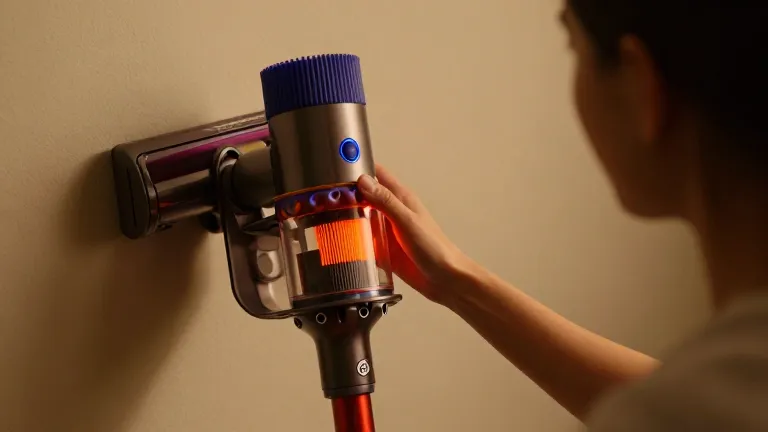
Dyson vacuums use a high-speed digital motor to generate strong suction, which is combined with a cyclonic system to separate dust and debris from the air. The pulsing or cutting out can occur when the motor or airflow system is disrupted, often due to blockages, overheating, or electrical issues. These systems are sensitive to obstructions, which can cause the vacuum to cycle on and off to prevent damage.
Signs That Your Dyson Vacuum Is Overheating
Overheating is a common cause of Dyson vacuum pulsing and cutting out, particularly in cordless models. The vacuum's motor generates heat during operation, and if it cannot dissipate this heat effectively, it may shut down to protect itself. Signs of overheating include the vacuum turning off unexpectedly, reduced suction, or the display showing a low battery even when the battery is fully charged. Ensuring proper ventilation and regular maintenance can help prevent overheating.
Step-by-Step Guide to Fix Dyson Vacuum Pulsing and Cutting Out
The first step in resolving your Dyson vacuum pulsing and cutting out is to address the most common causes: clogged filters, a full dust bin, or blocked airflow. These issues can significantly impact the vacuum’s performance and lead to unexpected shutdowns. By following a structured approach, you can often resolve the problem without needing professional help.
- Check for Clogged Filters and Full Dust Bin
- Inspect the Battery and Charging Port
- Allow the Vacuum to Cool Down if Overheating
- Reset the Vacuum and Check for Internal Obstructions
Check for Clogged Filters and Full Dust Bin
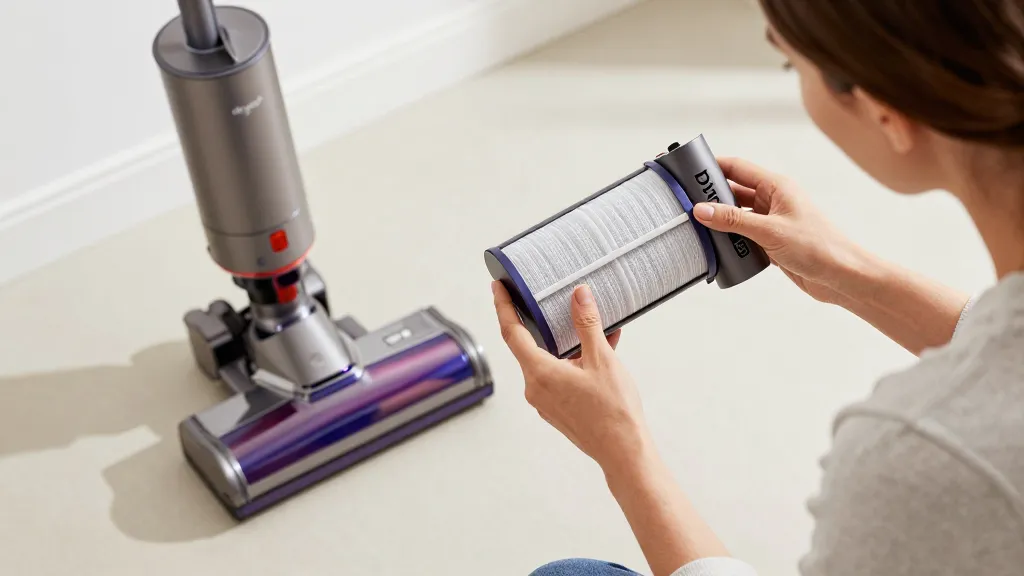
Start by removing the dust bin and emptying it completely. A full bin restricts airflow and can cause the motor to overheat, leading to pulsing and shutdowns. Next, locate the filters—usually found in the dust bin or on the handle—and inspect them for blockages. Use a soft brush or compressed air to clean the filters, ensuring no dust or debris remains. If the filters are damaged or excessively dirty, replace them with genuine Dyson filters for optimal performance.
Inspect the Battery and Charging Port
For cordless models, ensure the battery is fully charged by plugging the vacuum into a power source for at least 24 hours. A low battery can cause the vacuum to pulse or cut out unexpectedly. Inspect the charging port for dust or debris, which can interfere with the charging process. Use a dry cloth or cotton swab to gently clean the port. If the vacuum still fails to charge properly, try a different power outlet or charging cable to rule out electrical issues.
How to Clean the Dyson Filter and Maintain Airflow
A clogged or dirty filter can significantly reduce suction and cause the vacuum to pulse or cut out. Regular cleaning of the filters is essential to maintain optimal performance and prevent overheating. Different Dyson models may have different filter systems, so it's important to follow the manufacturer's guidelines. This section explains how to locate and clean the filters in your Dyson model, ensuring efficient airflow and extending the vacuum's lifespan.
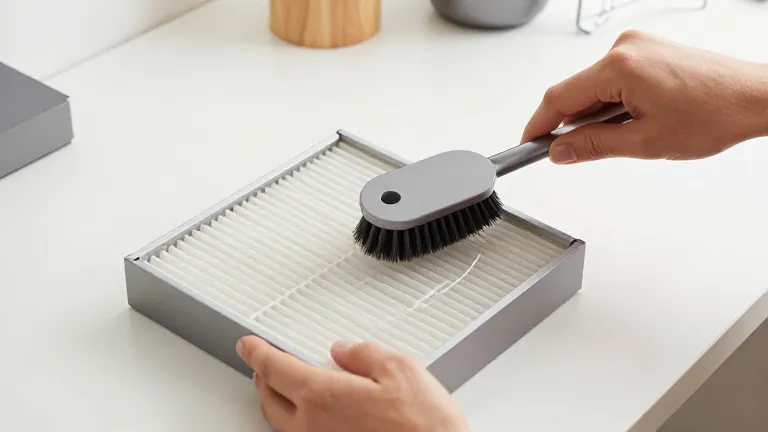
Locating the Filters in Your Dyson Model
Locating the filters in your Dyson model depends on the specific type of vacuum you own. For example, upright models like the Dyson V10 or V15 typically have a washable filter located at the bottom of the dust bin, while canister models such as the Dyson Ball may have filters in the base unit or the hose. Always refer to your user manual for precise instructions, as filter locations can vary between models. Familiarizing yourself with where the filters are situated makes the cleaning process more efficient and less time-consuming.
Proper Cleaning Techniques for Dyson Filters
Proper cleaning techniques for Dyson filters involve using mild detergent and water, avoiding harsh chemicals that could damage the filter material. Start by gently rinsing the filter under running water to remove loose debris, then allow it to air dry completely before reinserting it. For stubborn dirt, a soft brush or a dry cloth can be used to scrub the surface without causing damage. It's important to ensure the filter is fully dry before replacing it, as moisture can lead to mold growth and further reduce suction. Regular cleaning helps maintain airflow, improves suction power, and prevents overheating, ensuring your Dyson vacuum operates efficiently for longer.
Troubleshooting Dyson Battery Issues
Battery issues are a common cause of pulsing and cutting out in cordless Dyson vacuums. A faulty or low battery can lead to intermittent power supply, causing the motor to stall or shut down unexpectedly. Understanding how to test and replace your Dyson battery can help you resolve these issues without needing professional assistance.
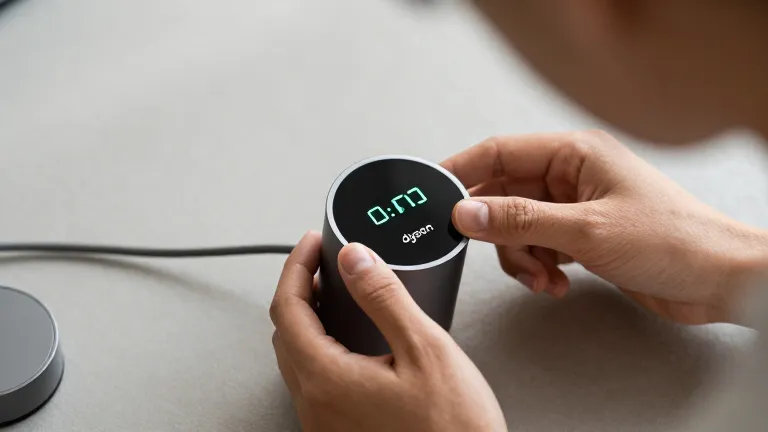
- Check the battery level using the Dyson app or the vacuum’s display. Ensure it is fully charged before use.
- Inspect the battery for physical damage, such as swelling or leaks. A swollen battery can cause safety hazards and should be replaced immediately.
- Test the battery by running the vacuum on a short, flat surface. If it cuts out prematurely, the battery may be faulty or overheating.
- Store the battery in a cool, dry place away from direct sunlight. Extreme temperatures can degrade battery performance over time.
Testing Your Dyson Battery Level
To test your Dyson battery level, start by ensuring the vacuum is fully charged. If it’s a cordless model, use the Dyson app or the vacuum’s display to check the battery percentage. If the battery is low, charge it for at least two hours. After charging, run the vacuum for a few minutes to see if it operates smoothly without cutting out. If it still pulsing or shuts down, the battery may need to be replaced.
Replacing a Faulty Dyson Battery
Replacing a faulty Dyson battery requires careful handling to avoid safety risks. First, turn off the vacuum and unplug it from any power source. Locate the battery compartment, usually at the bottom of the vacuum, and release the latch to remove the battery. If the battery is swollen, damaged, or shows signs of leakage, dispose of it properly and replace it with an official Dyson battery. Always use genuine replacement parts to ensure compatibility and safety.
When to Seek Professional Help for Persistent Issues
If your Dyson vacuum continues to pulse and cut out after following all the troubleshooting steps, it may require professional repair. Some issues, such as internal motor faults or electrical problems, can only be addressed by trained technicians. It's important to know when to stop DIY repairs and when to call for professional assistance to avoid further damage.
Signs That Your Dyson Needs Professional Repair
Signs that your Dyson needs professional repair include persistent pulsing or cutting out despite cleaning the filters, checking the battery, and ensuring proper airflow. If the vacuum still fails to operate correctly after these steps, it may indicate a more serious issue such as a faulty motor, damaged internal wiring, or a malfunctioning power supply. Continuing to attempt repairs without proper tools or knowledge can lead to additional damage, making it essential to seek expert help.
Finding a Reliable Dyson Service Provider
Finding a reliable Dyson service provider involves contacting Dyson's official customer support or visiting an authorized service center. Authorized technicians are trained to diagnose and repair Dyson vacuums using genuine parts, ensuring the longevity and performance of your device. Always verify that the service provider is affiliated with Dyson to avoid counterfeit parts or improper repairs. Regular maintenance and proper use can help prevent many common Dyson vacuum issues, but when problems persist, professional assistance is the best course of action.
Frequently Asked Questions
What should I do if my Dyson vacuum is pulsing but not suctioning?
If your Dyson vacuum is pulsing but not suctioning, check for clogs in the filters or dust bin. A blocked airflow can cause pulsing without suction. Also, inspect the brush bar for缠绕 hair or debris that might be restricting the airflow.
Can a full dust bin cause my Dyson vacuum to cut out?
Yes, a full dust bin can cause your Dy,son vacuum to cut out. When the bin is full, the airflow is restricted, which can trigger the vacuum's safety mechanisms. Empty the dust bin and check for any blockages to resolve the issue.
How often should I clean the Dyson filters?
Clean your Dyson filters every 3 to 6 months, or more frequently if you use the vacuum regularly. Regular cleaning ensures optimal airflow and prevents performance issues like pulsing or cutting out.
What are the signs that my Dyson vacuum has a battery issue?
Signs of a Dyson battery issue include reduced runtime, unexpected shutdowns, and the vacuum pulsing or cutting out during use. If the battery is swollen or damaged, it may need replacement.
Final Thoughts
Regular maintenance, such as cleaning filters and checking the dust bin, can prevent many common Dyson vacuum issues. If your vacuum continues to pulse or cut out, it may be necessary to inspect the battery or seek professional help.
By following these steps, you can keep your Dyson vacuum running smoothly and extend its lifespan. If issues persist, consult a certified service provider for further assistance.