How PC Hardware Makers Limit Performance
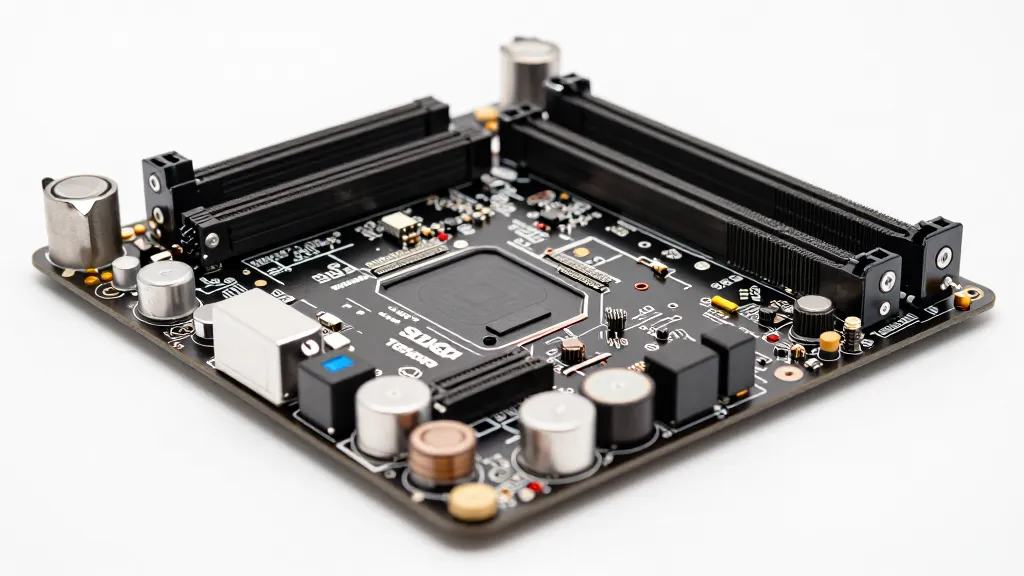
Many PC users are frustrated when their high-end hardware doesn't deliver the expected performance. This often leads to questions about pc hardware performance limits and why even powerful systems feel underpowered. The reality is that manufacturers intentionally impose these limits for various reasons, including cost recovery and market strategy. Understanding these limitations can help users make informed decisions and optimize their systems more effectively.
The economics of PC hardware plays a significant role in how performance is managed. R&D costs, manufacturing yields, and market competition all influence the final product. Sometimes, hardware is designed with specific use cases in mind, which can restrict its potential in other scenarios. This isn't always a flaw—it's often a calculated business decision.
This article explores the reasons behind pc hardware performance limits, real-world examples like Nvidia’s CMP 170HX and A100, and practical steps to identify and potentially unlock hidden performance. Whether you're a home user or a tech-savvy enthusiast, knowing how these limits work can help you get the most out of your PC.
Understanding PC Hardware Performance Limits
PC hardware performance limits are a deliberate design choice by manufacturers, not always a result of poor quality or outdated technology. These limits are often implemented to control market dynamics, recoup R&D investments, and manage product lifecycles. Understanding these limits is crucial for users aiming to optimize their systems, as it can reveal opportunities to unlock hidden potential.
What Are PC Hardware Performance Limits?
PC hardware performance limits refer to the predefined constraints set by manufacturers on the capabilities of components like CPUs, GPUs, and storage devices. These limits can manifest in various ways, such as throttling clock speeds, restricting memory bandwidth, or locking certain features. The goal is not to hinder performance but to shape how the hardware is used, often to influence pricing and market positioning.
Why Do Manufacturers Limit Performance?
Manufacturers limit performance for several strategic reasons. One key factor is the high cost of research and development. To recoup these expenses, companies often set performance caps that ensure long-term profitability. Additionally, market control is a significant driver. By limiting certain features, manufacturers can create distinct product tiers, encouraging users to upgrade to higher-end models. This practice also helps manage supply and demand, ensuring that premium products remain exclusive and valuable.
The Economics Behind Performance Limiting
The economics of PC hardware performance limiting is rooted in the balance between cost recovery and market positioning. Manufacturers often use pricing strategies to charge more for premium versions of the same hardware, ensuring they recoup R&D and manufacturing expenses while appealing to different consumer segments.
How R&D Costs Influence Pricing
R&D and manufacturing costs are significant factors in final pricing. Even if the physical components of a chip or card are relatively inexpensive to produce, the costs associated with research, development, and initial manufacturing runs can be substantial. These expenses need to be covered, and manufacturers often pass them on to consumers through higher pricing for premium models.
The Role of Market Strategy in Performance Limiting
Market strategy plays a crucial role in performance limiting. By releasing lower-tier hardware first, manufacturers can capture early adopters and build brand awareness before launching higher-tier models. This approach allows them to test the market, gauge demand, and adjust pricing strategies accordingly. It also enables them to maintain a range of products that cater to different budgets and performance needs.
Examples of Performance Limiting in Practice
PC hardware performance limits are often implemented through intentional design choices that affect how components operate. One notable example is Nvidia’s CMP 170HX and A100, which share the same GPU but differ in performance due to how they are configured. This section explores how manufacturers use such techniques and how users can sometimes bypass these limitations.
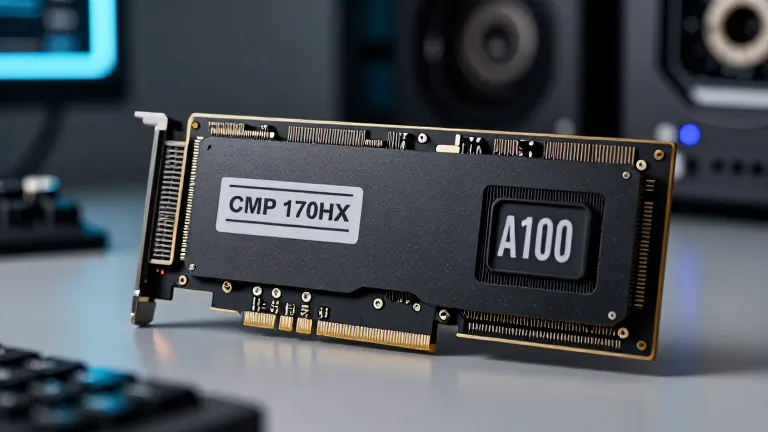
Nvidia’s CMP 170HX and A100 Case
The CMP 170HX and A100 both use the same underlying GPU architecture, but their performance differs due to how they are configured. The CMP 170HX is designed for cryptocurrency mining and has a lower memory bandwidth and fewer CUDA cores compared to the A100, which is optimized for data center workloads. This difference is not due to the hardware itself but rather how the chip is set up during manufacturing. Nvidia uses e-fuses to disable certain parts of the GPU, which reduces its capabilities and makes it suitable for specific tasks like mining.
Unlocking Hidden Hardware Potential
Some users have found ways to unlock hidden performance in locked hardware by manipulating e-fuses. A user known as 'Kate' discovered that by modifying specific fuses, they could re-enable disabled components on the GPU, effectively turning the 8GB mining card into a higher-performance variant. While this process is not officially supported and carries risks, it highlights how performance limitations can sometimes be bypassed with technical expertise. These cases demonstrate that while manufacturers intentionally limit hardware, there are ways to access more power if you're willing to explore the technical details.
How to Identify and Work Around Performance Limits
Identifying and working around performance limits in PC hardware requires a combination of diagnostic tools, firmware updates, and third-party utilities. By understanding how these methods can uncover hidden potential, users can optimize their systems more effectively.
- Use benchmarking software to pinpoint bottlenecks in your system.
- Check for firmware updates that can unlock additional features.
- Explore third-party tools designed to remove hardware restrictions.
- Monitor system performance regularly to detect changes after modifications.
Tools to Diagnose Performance Issues
Benchmarking tools such as 3DMark, Cinebench, and PassMark provide detailed insights into how your hardware is performing. These tools can help identify which components are underperforming or being throttled, allowing you to make informed decisions about upgrades or adjustments.
Unlocking Performance with Firmware Updates
Firmware updates often contain fixes or enhancements that can unlock previously restricted features. Manufacturers may release these updates to improve stability, add new functionalities, or remove limitations. Always check the official website or support forums for the latest firmware versions relevant to your hardware.
Practical Takeaways for PC Users
When shopping for PC hardware, it's crucial to be cautious about purchasing components that seem underpowered for their price. Manufacturers often employ performance limitations to justify higher costs, so a GPU that feels sluggish for its price point might be intentionally capped. Always compare specifications with similar models to gauge whether the hardware is truly underperforming or simply restricted by design.

Before making a purchase, take the time to research thoroughly and understand the potential limitations of the hardware you're considering. Look for user reviews, benchmarks, and forums where tech-savvy individuals discuss their experiences with specific models. This can help you spot patterns of performance throttling and avoid falling for marketing tactics that obscure the real capabilities of a device.
Consider the long-term value and potential for upgrades when deciding on hardware. A component that is slightly underpowered today might be a better investment if it can be unlocked or upgraded in the future. For example, some GPUs can be modified to release their full potential through firmware updates or hardware tweaks, offering a more cost-effective solution than buying a new card.
Ultimately, the goal is to maximize the performance of your PC without overspending. By staying informed and being mindful of how manufacturers approach performance limits, you can make smarter buying decisions and potentially unlock the full potential of your hardware. This proactive approach not only saves money but also ensures that your PC remains competitive over time.
Frequently Asked Questions
Why does my PC feel underpowered despite high-end hardware?
Your PC might feel underpowered due to performance limits built into the hardware. These limits are often intentional and can be due to market strategies, R&D costs, or thermal constraints. Some hardware may have features disabled to prevent overheating or ensure stability.
Can I unlock hidden performance in my PC hardware?
In some cases, hidden performance can be unlocked by adjusting settings, updating firmware, or modifying hardware configurations. However, not all performance limits are easily bypassed and may require technical expertise.
Are all performance limits in PC hardware intentional?
Most performance limits are intentional and designed to manage costs, ensure stability, or align with market strategies. However, some limitations may arise from design choices or manufacturing constraints.
How can I tell if my PC hardware is being limited?
You can identify performance limits by checking for inconsistencies between hardware specifications and real-world performance. Tools like benchmarking software and firmware updates can help uncover hidden limitations.
Next Steps for Optimizing PC Performance
Understanding PC hardware performance limits is key to optimizing your system. Many limitations are intentional and tied to cost, market, and design factors. By identifying these limits, you can take steps to improve performance.
To get the most out of your PC, consider using diagnostic tools and firmware updates. If you suspect your hardware is being limited, explore options for unlocking potential. Always ensure you understand the risks and benefits of any modifications.