How to Block Siri and Gemini From Capturing Your Chats

If you're using iOS or Android and want to block Siri and Gemini from accessing your private chats, you're not alone. With the rise of AI assistants, concerns about data privacy have grown significantly. These tools, while convenient, can inadvertently capture your messages, exposing sensitive information. This article will guide you through simple steps to secure your chat data and prevent unwanted access.
Recent updates from Signal highlight the growing need for user control over AI assistants. By implementing new protections, Signal aims to stop Siri and Gemini from reading your messages. These measures offer a starting point for anyone looking to enhance their privacy.
In this article, you'll learn how to block Siri and Gemini from accessing your chats on both iOS and Android. Whether you're a tech-savvy home user or a professional, these steps will help you protect your private conversations from being captured by AI systems.
Why You Should Block Siri and Gemini From Capturing Your Chats
Blocking Siri and Gemini from accessing your chat content is essential for protecting your private data. These AI assistants, integrated into iOS and Android, can capture screen content, potentially exposing sensitive information. Understanding the risks and taking proactive steps can help you maintain control over your communications.
What Siri and Gemini Can Do to Your Chats
Siri and Gemini can access your chat content as it appears on the screen. These AI assistants are designed to assist with various tasks, but their ability to read and process screen content means they can inadvertently capture private conversations. This capability is part of their functionality to provide context-aware assistance, which can lead to unintended exposure of sensitive information.
Why Your Privacy Matters More Than Ever
Your privacy matters more than ever as AI integration becomes more pervasive. With AI assistants embedded in operating systems, the potential for data breaches or unauthorized access increases. By blocking Siri and Gemini, you take a proactive step to safeguard your personal information and reduce the risk of it being accessed or misused. This measure is crucial in an environment where data security is increasingly under threat.
What Happened with Signal and AI Capturing Chats
Signal has taken significant steps to prevent AI assistants like Siri and Gemini from accessing private chat data, marking a major shift in digital privacy protections. These measures come after the company's earlier actions against Microsoft's Recall feature, which raised concerns about data security. The latest updates aim to address growing threats posed by AI systems integrated into operating systems, ensuring that user conversations remain confidential.
Signal’s New Privacy Measures
Signal has introduced new protections to block AI assistants from accessing chat data on iOS and Android devices. The company has developed targeted measures that prevent AI systems such as Siri and Gemini from capturing conversations as they appear on the screen. These changes are the result of months of research and reverse engineering, designed to close known pathways for data extraction. Signal's engineers have verified these protections to ensure they effectively prevent AI assistants from accessing sensitive information.
The Broader Implications for User Data
These updates were inspired by Signal's previous actions against Microsoft's Recall feature, which allowed the AI to capture screenshots of user activity. The company's president, Meredith Whittaker, emphasized the need for similar measures to protect user data from AI systems embedded in operating systems. While Signal's new protections address known vulnerabilities, the company warns that AI assistants may still find alternative methods to access chat data. This highlights the ongoing challenge of securing user privacy in an era where AI is deeply integrated into digital ecosystems.
How to Block Siri and Gemini From Reading Your Chats on iOS
Blocking Siri from accessing your chats on iOS involves enabling specific privacy settings and managing app permissions. By using the latest iOS features, you can ensure that Siri doesn't read your messages, keeping your conversations private.
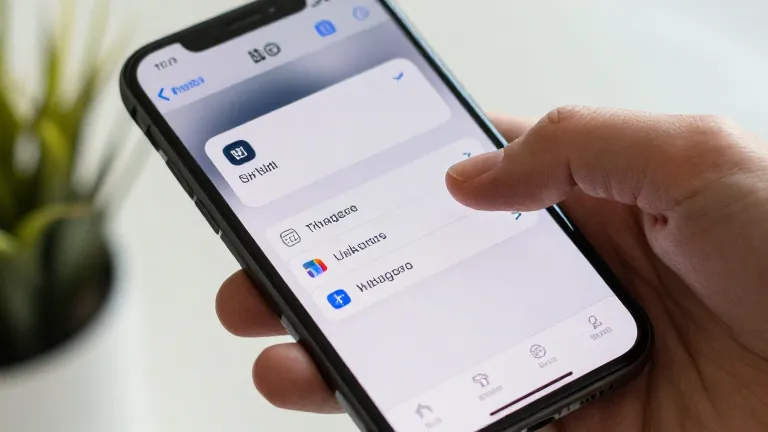
- Go to Settings > Siri & Search and enable Onscreen Awareness for Siri.
- Review and adjust app permissions for AI assistants to limit their access to your screen.
- Check for updates in the Settings app to ensure your iOS is running the latest version with enhanced privacy features.
- Regularly review which apps have access to your microphone, camera, and other sensitive data.
Enable Onscreen Awareness for Siri
To prevent Siri from reading your chats, enable Onscreen Awareness in the Settings app. This feature ensures that Siri can only access your screen when it's actively being used, reducing the risk of unintended data capture. This setting is particularly important for users who rely on voice commands but want to maintain their privacy.
Adjust Privacy Settings for AI Assistants
Adjusting privacy settings for AI assistants involves checking the permissions granted to Siri and other AI tools. Navigate to Settings > Privacy and manage which apps can access your data. Limiting these permissions ensures that AI assistants cannot access your screen or sensitive information without explicit consent. Regularly reviewing these settings helps maintain a secure environment for your conversations.
How to Block Gemini AI From Accessing Your Chats on Android
Blocking Gemini AI from accessing your chats on Android requires a combination of built-in privacy settings and additional tools to ensure your data remains secure. By leveraging Android's native features and third-party apps, you can significantly reduce the risk of your conversations being captured or misused by AI assistants.
- Disable screen capture features in Android settings to prevent Gemini from accessing your chats.
- Install privacy-focused apps that block AI assistants from reading your screen.
- Enable app-specific permissions to limit Gemini's access to messaging apps.
- Regularly update your Android system to benefit from the latest security enhancements.
Stop Gemini From Reading Your Screen
Android provides built-in options to prevent Gemini from capturing your screen. Go to Settings > Accessibility > On-Screen Assistant and disable the feature if it's enabled. This stops Gemini from accessing your screen content, including chat messages. Additionally, check the 'Screen recording' settings to ensure that your chats are not being captured without your explicit consent.
Some Android versions allow you to block specific apps from being accessed by AI assistants. Navigate to Settings > Apps > [Your Messaging App] > Permissions and disable any unnecessary permissions, such as 'Accessibility Services' or 'Screen Capture.' This limits Gemini's ability to interact with your chat data directly.
Use Third-Party Tools for Extra Protection
Third-party tools can offer an extra layer of protection against Gemini AI. Apps like 'PrivacyGuard' or 'SecureChat' are designed to block AI assistants from accessing your screen or reading your messages. These tools often include features like real-time monitoring and alerts if an AI attempts to access your data, giving you more control over your privacy.
When selecting third-party tools, prioritize apps with strong user reviews and transparent privacy policies. Ensure that these apps do not themselves collect or store your chat data. Regularly check for updates to maintain the effectiveness of these tools against evolving AI capabilities.
Additional Tips for Protecting Your Chat Data
Beyond blocking Siri and Gemini, securing your chat data involves proactive steps to protect it from unauthorized access and breaches. By implementing strong encryption and reliable backup strategies, you can significantly reduce the risk of data loss or exposure.

Secure Your Messaging Apps
Use end-to-end encryption for all your messaging apps to ensure that only the intended recipients can read your messages. Apps like Signal, WhatsApp, and Telegram offer this feature, which encrypts data both in transit and at rest. This encryption makes it extremely difficult for third parties, including AI assistants, to intercept or access your conversations. Always verify that your chosen apps use strong encryption protocols and avoid services that lack this critical security measure.
Backup and Protect Your Data
Avoid using public Wi-Fi for sensitive conversations, as these networks are often unsecured and can be exploited by hackers to intercept your data. If you must use public Wi-Fi, consider using a virtual private network (VPN) to encrypt your internet connection and hide your online activity. A VPN adds an extra layer of security by routing your traffic through a secure server, making it harder for malicious actors to access your data. Regularly check for updates to your apps and operating system to ensure you have the latest security patches.
Frequently Asked Questions
Can Siri and Gemini access my messages even if I use encryption?
Encryption protects your messages from unauthorized access, but AI assistants like Siri and Gemini can still capture screenshots or screen data. Signal's updates aim to block these methods, but no method is 100% foolproof.
What should I do if I already shared my messages with an AI assistant?
Review your device settings to disable AI assistants' access to your chats. If you're unsure, consider using a messaging app with stronger privacy protections, like Signal.
How can I check if my device is vulnerable to AI data capture?
Look for settings related to AI assistants or screen capture. If unsure, use tools like Signal to block access or consult your device's privacy settings for more information.
Are there any third-party apps that can block AI assistants?
Apps like Signal offer enhanced privacy features to block AI assistants. Always check app reviews and privacy policies before installation to ensure they meet your security needs.
Take Control of Your Privacy
Blocking Siri and Gemini is essential for protecting your chat data. Use built-in settings or apps like Signal to secure your communications. Regularly review privacy options to stay protected.
Take action today by adjusting your device settings and using trusted messaging apps. Stay informed about privacy updates to keep your data safe from AI assistants.