How to Secure Your System From a Compromised Microsoft Agent Framework
If you're using Python tools like the Microsoft Agent Framework, you're not alone—but you're also at risk. Recently, hackers compromised the official Microsoft Agent Framework package on PyPI, embedding malicious code to steal cloud credentials and sensitive data. This breach highlights the importance of securing your system against such threats. In this article, we'll guide you through understanding the compromise, detecting potential breaches, and taking steps to secure your environment. Whether you're a tech-savvy home user or an office worker, learning how to secure microsoft agent framework is crucial for protecting your data and systems.
Understanding the Microsoft Agent Framework Compromise
A recent security incident involved the compromise of Microsoft's Agent Framework, an open-source Python toolkit used for building and managing AI agents. Hackers published two malicious versions of the package on PyPI, which are designed to steal sensitive credentials and data from developers' systems. This breach highlights the importance of vigilance when using third-party libraries and underscores the risks associated with compromised software repositories.
What Happened with the Microsoft Agent Framework?
In late November 2026, attackers compromised the Microsoft Agent Framework package on PyPI, releasing versions 1.26.1 and 1.26.2 that contained malware. These malicious versions were crafted to steal cloud credentials and other sensitive information from developers' systems. The malware executed automatically during Python startup, even when the package was not imported, making it difficult to detect. The attackers retained the legitimate dependency on agent-framework-core 1.26.0 to ensure the package functioned normally while the malware operated in the background.
What Data Was Targeted by the Malware?
The malware targeted a variety of sensitive data, including environment variables, local configuration files, and secrets from running processes where permissions allowed. It specifically focused on credentials for Azure, AWS, GitHub, Docker, Hugging Face, OpenAI, and other cloud services. The malware also attempted to obtain Azure managed identity access tokens and Azure DevOps OIDC tokens, potentially granting attackers access to additional cloud resources. Version 1.26.2 further expanded the threat by adding GitHub Actions OIDC token requests and searching GitHub runner directories, increasing the potential attack surface for compromised systems.
Detecting Credential Theft From a Compromised Package
Detecting credential theft from a compromised Microsoft Agent Framework package requires vigilance and understanding of the subtle signs of malicious activity. While the malware operates stealthily, there are specific indicators that can help identify a compromise. Being aware of these signs and using the right tools can help you catch the issue before it causes serious damage.
Common Signs of Credential Theft
Common signs of credential theft include unusual network activity, unexpected processes running in the background, and unauthorized access to sensitive services. If you notice your system is accessing cloud platforms like Azure or AWS without your knowledge, or if your credentials are being used to access repositories on GitHub, this could indicate a breach. Additionally, monitoring for sudden spikes in data transfer or unexpected connections to external servers can help identify potential credential leaks.
How to Monitor for Suspicious Activity
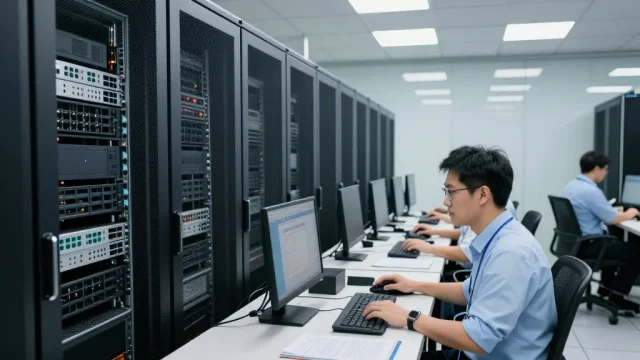
To monitor for suspicious activity, use system monitoring tools such as Windows Event Viewer, Docker logs, or third-party security software like Microsoft Defender or CrowdStrike. These tools can track process executions, network connections, and file modifications. You can also leverage Python-specific tools like `psutil` to inspect running processes and memory usage. Setting up alerts for unusual behavior, such as unauthorized API calls to cloud services, can help detect malicious activity early. Regularly reviewing logs and system behavior is essential to identifying and mitigating credential theft.
Steps to Secure Your System From the Compromise
To secure your system from a compromised Microsoft Agent Framework, it's crucial to actively check for malicious packages and update your Python environment regularly. These steps help minimize the risk of credential theft and ensure your development tools remain safe.
- Check PyPI for compromised versions of the Microsoft Agent Framework by reviewing package release notes and verifying the latest version against trusted sources.
- Update your Python environment and all installed packages to the latest secure versions using tools like pip or virtual environments to isolate dependencies.
- Audit your system for any unauthorized changes, such as unexpected files or processes, and use security tools to scan for malware.
- Enable two-factor authentication (2FA) for all cloud accounts and services to add an extra layer of protection against credential misuse.
How to Check for Compromised Packages
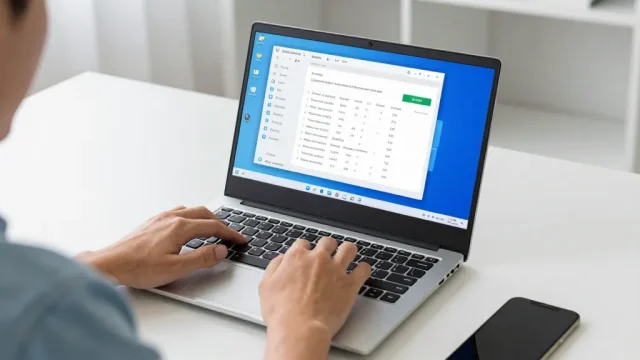
Checking for compromised packages involves verifying the integrity of the Microsoft Agent Framework and other Python tools you use. Visit the official PyPI page for the package and cross-reference the latest version with trusted sources. If you notice any suspicious versions or unexpected changes in the release history, it's a red flag. You can also use tools like pip check to ensure your installed packages are up to date and match the official versions.
How to Update and Secure Your Python Environment
Updating your Python environment is critical to patch vulnerabilities and remove any malicious code. Use pip to upgrade packages and ensure that all dependencies are aligned with the latest secure versions. Additionally, consider using virtual environments to isolate your development projects and limit the impact of any potential compromises. Regularly reviewing your installed packages and their versions can help you stay ahead of any threats.
Best Practices for Securing Python Packages
Securing Python packages is essential to prevent unauthorized access and data breaches. By following best practices, users can significantly reduce the risk of falling victim to malicious packages like the compromised Microsoft Agent Framework. Implementing rigorous verification processes and staying informed about security updates ensures a safer development environment.
How to Verify Python Package Sources
Verifying the source of Python packages is a fundamental step in maintaining security. Always use official repositories such as PyPI (Python Package Index) and ensure that packages are installed through trusted package managers like pip or conda. Before installing any package, check its author, license, and documentation to confirm its legitimacy. Additionally, verify the package's integrity using checksums or digital signatures to detect any tampering.
How to Stay Updated with Security Alerts
Staying updated with security alerts is crucial for protecting your system from emerging threats. Subscribe to newsletters from security organizations and follow official channels for Python and package management updates. Enable notifications for your package manager to alert you about new versions and security patches. Regularly review the changelogs and security advisories for the packages you use to ensure you are aware of any vulnerabilities or fixes.
Recovering From a Compromised Microsoft Agent Framework
Recovering from a compromised Microsoft Agent Framework requires a methodical approach to ensure your system is fully cleaned and secured. This section outlines the essential steps to clean your system, reset your credentials, and take proactive measures to prevent future incidents.
- Uninstall all versions of the Agent Framework and related packages from your Python environment.
- Use a security tool to scan your system for malware and suspicious activity.
- Change all passwords and access keys for cloud services, GitHub, and other platforms.
- Enable two-factor authentication (2FA) for all accounts and services.
How to Clean Your System After a Compromise
To clean your system, start by removing all versions of the Agent Framework and any other compromised packages. This can be done using pip or your package manager to uninstall the affected versions. Next, run a full system scan with a trusted antivirus or security tool to detect and remove any residual malware. Ensure that any temporary files or logs related to the compromised package are deleted to prevent data leakage.
How to Reset and Secure Your Credentials
Resetting and securing your credentials involves changing all passwords and access keys for cloud platforms, GitHub, and other services. Use strong, unique passwords for each account and consider using a password manager to keep track of them. Enable two-factor authentication (2FA) wherever possible to add an extra layer of security. Finally, review your system logs and monitor for any unusual activity that could indicate lingering threats.
Frequently Asked Questions
How can I tell if my Python packages are compromised?
Check for unexpected changes in package versions or behavior. Monitor system logs for suspicious activity. Use tools like pip-audit or PyUp to scan for vulnerabilities.
What should I do if I suspect my system was hacked?
Isolate your system, change all passwords, and run a full security scan. Contact your IT department or a cybersecurity expert for further assistance.
How do I update my Python environment securely?
Use trusted package sources like PyPI. Enable two-factor authentication for your accounts. Regularly update all packages and dependencies to their latest versions.
What steps can I take to prevent future credential theft?
Avoid installing packages from untrusted sources. Use environment variables for sensitive data. Regularly audit your system for unauthorized access and changes.
Final Thoughts
Securing your system from a compromised Microsoft Agent Framework requires vigilance and proactive measures. Regularly audit your Python environment and stay updated with security alerts to minimize risks.
Take immediate action to check for vulnerabilities and update your packages. Prioritize secure practices to protect your data and prevent future breaches.