Sync Bookmarks Across Browsers with This Free Extension
If you use multiple browsers, keeping your bookmarks in sync can feel like a never-ending chore. Switching between Chrome, Firefox, Brave, and Edge means juggling separate bookmark folders, which can lead to confusion and wasted time. A sync browser bookmarks extension like Floccus can simplify this process by centralizing your bookmarks across all your browsers. This article guides you through why you need such an extension, how to choose the right one, and the steps to set it up. We’ll also cover troubleshooting tips and ways to keep your bookmarks organized. Whether you're a home user or an office worker, syncing bookmarks has never been easier with the right tool.
Why You Need a Bookmark Sync Extension
Managing bookmarks across multiple browsers can quickly become a chaotic task. When you use different browsers for various tasks, each one ends up with its own set of bookmarks, leading to duplication, confusion, and wasted time searching for the right one.
The Problem with Multiple Browsers
Using multiple browsers often results in fragmented bookmark collections. For instance, if you switch between Chrome, Firefox, Brave, and Edge throughout the day, you might end up saving the same page in different folders or even different browsers. This fragmentation makes it difficult to locate specific bookmarks when you need them, especially if you're working on a project that requires quick access to multiple resources.
How Floccus Solves the Problem
A bookmark sync extension like Floccus helps keep your bookmarks organized across browsers. It ensures that your favorite pages are stored in one centralized location, so you can access them no matter which browser you're using. This extension works by syncing your bookmarks through a cloud storage service, allowing you to maintain consistency without having to manually update each browser. Floccus is a popular free extension that simplifies this process, making it easy to manage your bookmarks efficiently across multiple browsers.
Choosing the Right Sync Extension
When it comes to syncing bookmarks across browsers, Floccus stands out as a reliable and versatile solution. This free and open-source extension is designed to synchronize your bookmark folders across different browsers, eliminating the hassle of managing separate bookmark collections. Whether you're a home user or an office worker, Floccus offers a straightforward way to keep your bookmarks organized and accessible no matter which browser you're using.
What Is Floccus?
Floccus is a free and open-source extension that allows you to sync bookmarks across multiple browsers. It works by connecting to each browser's built-in bookmark system and synchronizing a chosen folder across all devices. This means you can use the bookmark manager you're already familiar with, without having to switch between different interfaces. The extension is lightweight and easy to install, making it a great choice for users who want a simple yet effective solution.
Supported Cloud Storage Options
Floccus supports a variety of cloud storage options, giving you flexibility based on your needs and preferences. You can choose from popular services like Google Drive, Dropbox, and Nextcloud, among others. This versatility ensures that you can sync your bookmarks using the storage solution you already trust and use. Whether you prioritize security, ease of use, or integration with other tools, Floccus adapts to your workflow. Selecting the right cloud storage depends on factors such as data privacy, syncing speed, and compatibility with your existing setup.
Setting Up Your Sync Extension
Setting up your sync extension is a straightforward process that ensures your bookmarks are accessible across all your browsers. By following these steps, you'll create a seamless experience that saves time and reduces the risk of losing important bookmarks.
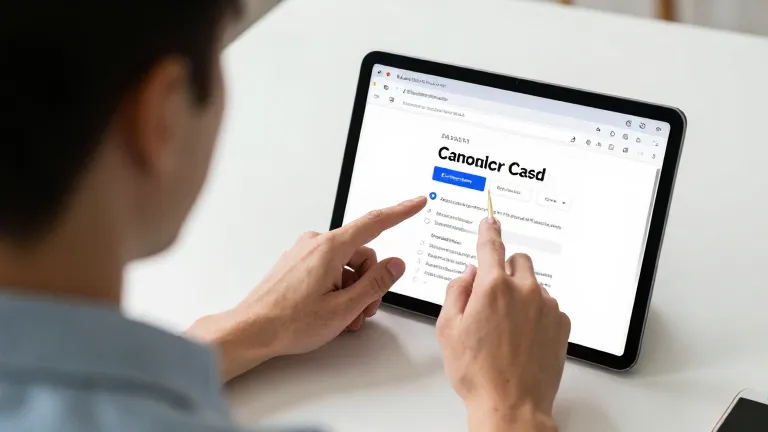
- Install the extension in each browser you use.
- Choose a cloud storage service to sync your bookmarks.
- Select the bookmark folder you want to sync across browsers.
Installation Steps for Each Browser
To start, install the Floccus extension in each browser you use. This includes Chrome, Firefox, Brave, and Edge. The installation process is simple and quick, requiring just a few clicks. Once installed, the extension will begin to sync your bookmarks across all browsers, provided you set up the cloud storage correctly.
Selecting the Right Cloud Storage
Selecting the right cloud storage service is essential for smooth syncing. Floccus supports several options, including Google Drive, Dropbox, Nextcloud, and WebDAV. Choose a service that you already use, as this will make the setup process easier and more reliable. Once you select a service, you'll need to grant Floccus access to the storage location where your bookmarks will be synced.
Troubleshooting Sync Issues
Troubleshooting sync issues with a bookmark extension can be frustrating, but most problems stem from setup errors, browser incompatibilities, or folder conflicts. By systematically checking your configuration and ensuring consistent settings across all browsers, you can resolve most sync problems efficiently.
Common Sync Problems
Common sync problems often arise from incorrect cloud storage setup, outdated browser versions, or mismatched sync settings. For example, if your chosen cloud service isn’t properly configured, the extension may fail to sync bookmarks across devices. Similarly, if browsers aren’t updated to the latest version, compatibility issues might prevent successful synchronization. Another frequent issue is when multiple bookmark folders are set up for syncing, leading to confusion or data duplication.
How to Fix Sync Errors
To fix sync errors, start by verifying that all browsers are updated and using the same sync settings. Ensure your cloud storage service is correctly configured and accessible from all devices. If conflicts arise between bookmark folders, consider consolidating them into a single folder for syncing. If issues persist, reviewing the extension’s logs or reaching out to its support community can provide additional insights into resolving specific sync problems.
Tips for Keeping Your Bookmarks Organized
Keeping your bookmarks organized is essential for efficient browsing, especially when using multiple browsers. A well-structured bookmark system helps you find what you need quickly and reduces the risk of duplicates or outdated links. Here are some practical tips to maintain order and ensure your bookmarks stay in sync across all your devices.

Organizing Your Bookmarks
Use consistent folder naming across browsers to avoid confusion. For example, if you have a folder called 'Research Tools' in Chrome, use the same name in Firefox and Brave. This consistency makes it easier to locate bookmarks and ensures that your sync extension can properly merge folders without duplicating or missing entries. Keep folder names simple and descriptive to maximize clarity.
Maintaining Sync Consistency
Regularly review and update your bookmark folders to remove outdated or irrelevant links. Set aside a few minutes each week to check for broken links or pages that no longer serve their purpose. You can also reorganize folders based on new projects, interests, or workflow changes. This practice keeps your bookmarks relevant and ensures that your sync extension works with up-to-date data.
Avoid saving bookmarks in multiple folders across browsers. This can lead to duplicates and make it harder to manage your bookmarks. Instead, assign each bookmark to a single folder and ensure that all browsers point to the same folder structure. This approach minimizes errors and keeps your bookmarks clean and easy to navigate.
Frequently Asked Questions
Can I sync bookmarks between Chrome and Firefox?
Yes, Floccus allows you to sync bookmarks between Chrome and Firefox, among other browsers. It works by syncing a chosen bookmark folder across all your browsers using your preferred cloud storage.
What happens if I change my cloud storage provider?
If you change your cloud storage provider, you'll need to reconfigure Floccus with the new provider. Your existing bookmarks will remain safe, and you can transfer them to the new storage if needed.
Is Floccus compatible with all browsers?
Floccus is compatible with Chrome, Firefox, Brave, and Edge. It connects with each browser's built-in bookmarks system, allowing seamless sync across these platforms.
How do I know if my bookmarks are syncing correctly?
You can check if your bookmarks are syncing correctly by reviewing the sync status in Floccus. If there are any errors, the extension will notify you, and you can troubleshoot accordingly.
Final Thoughts
Floccus is a powerful tool for keeping your bookmarks in sync across multiple browsers. It simplifies the process of managing bookmarks by syncing them through your preferred cloud storage, ensuring consistency and ease of access.
To get started, install Floccus and choose your cloud storage provider. This will help you streamline your bookmark management and avoid the hassle of juggling multiple bookmark folders.