Troubleshooting Apple iCloud Mail Outage and AppleCare Issues

If you're struggling with an apple iCloud mail outage, you're not alone. Many users are facing disruptions in accessing their email and other Apple services, which can be frustrating and impact both personal and professional tasks. This article provides actionable solutions to help you resolve these issues without needing professional assistance. We'll walk you through understanding the outage, checking service status, and taking steps to restore connectivity. Whether you're a home user or an office worker, these troubleshooting tips can help you get back on track. By following the guidance below, you can address common problems and stay informed about service updates. Let's dive into the details and find a way to restore your Apple services quickly.
The recent apple iCloud mail outage has affected multiple Apple services, including iCloud Account & Sign In, Apple School Manager, and AppleCare. While the exact cause is still under investigation, Apple has confirmed it's not a cyber attack. Understanding what's happening and how to respond is key to minimizing disruption. We'll outline practical steps to troubleshoot your connectivity issues and explore the broader impact of the outage on other services. These insights will help you navigate the situation more effectively.
Staying informed and proactive can help you manage future outages. We'll guide you on how to monitor Apple's service status, maintain your Apple ID, and take preventive measures to avoid similar issues. By following these steps, you can ensure your Apple services remain reliable and accessible. Whether you're dealing with a temporary glitch or a more persistent problem, the right approach can make all the difference. Let's get started with the first section to understand what's happening with your apple iCloud mail outage.
Understanding the Apple iCloud Mail Outage
Apple recently faced a significant service disruption impacting iCloud Mail and several other services, causing widespread connectivity issues for users. The outage began on November 17, 2026, and affected multiple platforms, including iCloud Account & Sign In, Apple School Manager, and AppleCare. Users experienced difficulties in signing in, sending emails, and accessing iCloud web apps, leading to frustration and inconvenience for both home users and office workers.
What Happened During the Outage
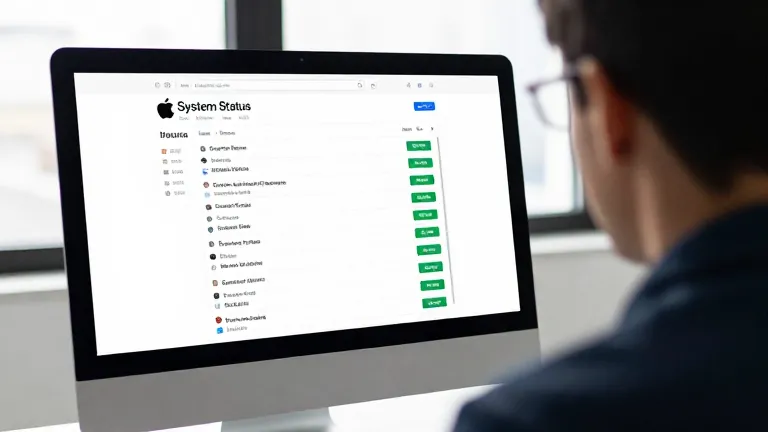
The iCloud Mail outage was part of a broader system-wide issue that impacted Apple's internal services. According to Apple's System Status page, at least six services were experiencing problems as of 2:10 PM ET on November 17, 2026. The most widespread issue affected iCloud Account & Sign In, which Apple listed as an ongoing issue affecting all users. The disruption started around 11:45 AM ET, with the company warning that the service might be slow or unavailable. Additionally, iCloud Mail and iCloud Web Apps (iCloud.com) were also affected, with incidents starting around 2:03 PM ET.
Impact on iCloud Mail and Other Services
Beyond iCloud Mail, the outage extended to other Apple services, including Apple School Manager, Schoolwork, and AppleCare. These services experienced outages that began around 1:40 PM ET, impacting users who rely on them for educational and business purposes. AppleCare on Device, which allows users to purchase AppleCare directly on their devices, was also affected, with the issue starting around 11:15 AM ET. Apple confirmed that the problem was due to internal technical issues rather than a cyber attack, reassuring users that the issue was not a security breach. The company has since provided updates on the resolution status, but users were advised to stay informed through official channels.
What to Do If You're Experiencing iCloud Mail Issues
If you're experiencing issues with iCloud Mail or other Apple services, the first step is to confirm whether the problem is widespread or specific to your device. By following these steps, you can quickly determine the cause and take appropriate action to resolve the issue.
- Check Apple's System Status Page
- Restart Your Device and Sign-In
- Check for Scheduled Maintenance or Service Updates
- Ensure Your Apple ID Is Correctly Signed In and Up to Date
Check Apple's System Status Page
Start by visiting Apple's official System Status page to see if there are any reported outages or service disruptions. This page provides real-time updates on the status of iCloud Mail and other services, helping you determine if the issue is widespread or isolated to your account. If an outage is confirmed, you'll need to wait for Apple to resolve the problem before your services return to normal.
Restart Your Device and Sign-In
Restarting your device can often resolve temporary glitches that may be interfering with iCloud Mail connectivity. This action clears the device's memory and refreshes system processes, which can help restore access to your account. After restarting, make sure you're signed in with the correct Apple ID and that your account details are up to date. If you're using a work or school account, check with your administrator for any changes or updates to your access.
Troubleshooting Steps for iCloud Mail Connectivity
If you're experiencing issues with iCloud Mail, start by verifying your internet connection and trying to access iCloud from a different network. A stable internet connection is essential for iCloud services to function properly. If you're on a public Wi-Fi network, try switching to a mobile data connection or a different home network to see if that resolves the issue.

- Verify your internet connection and try accessing iCloud from a different network.
- Clear the cache for iCloud Mail in your email app or browser.
- Log out of your Apple ID and sign back in.
- Use the Apple Support app to check for any known issues.
Check Your Internet Connection
Check Your Internet Connection. A weak or unstable internet connection can prevent iCloud Mail from working correctly. Ensure your device is connected to a reliable network and that there are no firewall or router settings blocking access to iCloud services. If you're using a public Wi-Fi network, consider switching to a more secure and stable connection to rule out network-related issues.
Clear Cache and Sign-In Again
Clear Cache and Sign-In Again. Over time, cached data in your email app or browser can cause connectivity issues with iCloud Mail. Clearing the cache can help resolve these problems by removing outdated or corrupted data. After clearing the cache, sign out of your Apple ID and sign back in to ensure your account is properly recognized. This process can also help refresh your connection to iCloud services.
AppleCare and Other Affected Services
Beyond iCloud Mail, the outage impacted several other Apple services, including AppleCare and educational tools like Apple School Manager and Schoolwork. AppleCare, which allows users to purchase coverage directly on their devices, was temporarily unavailable, affecting all users attempting to access this service.
What Else Was Affected by the Outage?
AppleCare on Device, which enables users to buy coverage directly from their devices, was disrupted during the outage. The issue began around 11:15 AM ET on November 17, 2026, and affected all users attempting to purchase AppleCare. This disruption highlights the interconnected nature of Apple's services, where an issue in one area can ripple across multiple platforms.
Resolution and Status Updates
In addition to AppleCare, Apple School Manager and Schoolwork were also impacted. These tools, used by educational institutions for managing student accounts and assignments, experienced outages starting around 1:40 PM ET. The problems were not limited to iCloud services, underscoring the broader scale of the technical disruption. Apple confirmed that the outage was due to an internal technical issue and not a cyber attack, as reported by AppleInsider. The company resolved the outages by the end of November 17, 2026, restoring full functionality to affected services.
Preventing Future Outages and Staying Informed
Preventing future Apple service outages and staying informed requires proactive steps to ensure uninterrupted access to your iCloud Mail and other Apple services. By following these guidelines, you can minimize disruptions and quickly respond to any issues that arise.
- Monitor Apple's System Status page regularly for service updates.
- Enable notifications for Apple services to stay informed of any disruptions.
- Keep your Apple ID and account details updated for seamless access.
- Check for software updates to ensure your device is running the latest version.
Stay Updated with Apple Service Status
Staying updated with Apple's service status is crucial for anticipating and mitigating disruptions. Apple's System Status page provides real-time information on the availability of its services, including iCloud Mail, AppleCare, and others. Regularly checking this page allows you to identify potential issues early and adjust your workflow accordingly, reducing the impact of outages on your daily tasks.
Maintain Your Apple ID and Account
Maintaining your Apple ID and account details ensures that you can access your services without interruption. Keeping your contact information, password, and security settings up to date helps prevent login issues and enhances account security. Additionally, enabling two-factor authentication adds an extra layer of protection, ensuring that your account remains secure even if your device is compromised.
Frequently Asked Questions
How long did the Apple iCloud Mail outage last?
The Apple iCloud Mail outage lasted several hours, with the main disruption starting around 11:45 AM ET on November 17, 2026, and resolving by the following day.
What caused the Apple iCloud Mail service outage?
Apple attributed the outage to technical issues, not a cyber attack, and confirmed that it was a widespread service disruption affecting multiple services.
How do I know if Apple's iCloud service is down?
You can check Apple's System Status page for real-time updates on service availability and outages affecting iCloud and other services.
Can I still use Apple services during an outage?
During an outage, some services may be unavailable or experience delays, but Apple continues to work on resolving the issues as quickly as possible.
Next Steps and Tips
Staying informed through Apple's System Status page and maintaining a secure Apple ID can help mitigate the impact of service disruptions. If issues persist, contacting Apple Support is a helpful next step.
By following these troubleshooting steps and staying updated, users can better manage iCloud Mail and AppleCare issues during outages.