Windows 11 KB5132057 Update Fixes: What’s New and How It Affects You
If you're a Windows 11 user looking for ways to enhance your system's performance and user experience, the Windows 11 KB5132057 update fixes might be just what you need. This latest update brings a range of improvements and bug fixes designed to make your daily tasks more efficient. Whether you're a home user or an office worker, understanding what's new in this update can help you decide if it's worth installing. In this article, we'll explore the key fixes and improvements included in KB5132057, how to install it, and what you can expect after the update. We'll also discuss when it's best to apply this update to your system.
Released as an optional update in November 2026, KB5132057 is part of Microsoft's ongoing efforts to refine the Windows 11 experience. While it doesn't include security patches, it focuses on quality improvements, such as faster file searches and a more modern Run dialog. These changes are aimed at making your interactions with the operating system smoother and more intuitive. For IT administrators and end-users, this update offers a chance to test new features before they are rolled out more widely.
The Windows 11 KB5132057 update fixes cover several areas, including Windows Search, Windows Hello, and the Run dialog. These updates are designed to improve both functionality and performance, making everyday tasks more efficient. Whether you're looking to streamline your workflow or simply want a more polished system, this update can make a noticeable difference. We'll guide you through the installation process and highlight the benefits you can expect, helping you make an informed decision about whether to apply this update to your Windows 11 device.
Understanding the Windows 11 KB5132057 Update
The Windows 11 KB5132057 update is a significant optional release that brings a range of changes and improvements to the operating system. Released in November 2026, this update is tailored for users running Windows 11 versions 25H2 and 26H2. It is designed to offer a preview of upcoming features and bug fixes, allowing IT administrators to test the changes before they are officially rolled out in future updates.
What Is KB5132057?
KB5132057 is a cumulative update that includes 28 changes, such as improvements to Windows Search, enhancements to Windows Hello, and the introduction of a new Run dialog. This update is part of Microsoft's strategy to provide a more refined user experience by incorporating modern design elements and optimizing system performance. While it offers several new features, it is important to note that this update does not include security patches, which are typically addressed in regular monthly updates.
When Was the KB5132057 Update Released?
The KB5132057 update was released on November 20, 2026, as an optional update for Windows 11 users. It is specifically targeted at IT administrators who want to test the new features and improvements before they become available in the next Patch Tuesday release. Unlike standard security updates, this preview update focuses on quality improvements and new features, providing an opportunity for users to experience the changes in a controlled environment.
Key Fixes and Improvements in KB5132057
The Windows 11 KB5132057 update introduces several key fixes and improvements aimed at enhancing user experience and system performance. This update focuses on refining critical components such as Windows Search, Windows Hello, and the Run dialog, offering notable changes that affect both home users and office workers.
Improvements to Windows Search
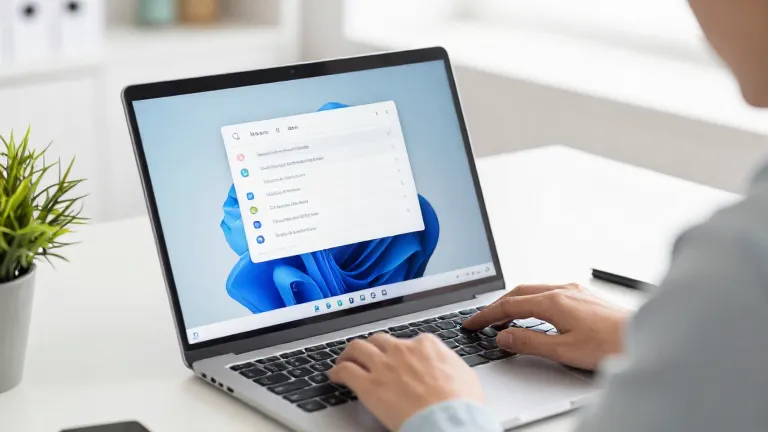
One of the major improvements in the KB5132057 update is the enhanced Windows Search functionality. The update introduces a new Windows Search Box experience built on WinUI 3, which provides a more modern and efficient interface. This redesign streamlines the search process, making it faster and more intuitive for users. Additionally, the update removes promotional content from web results, improving resource efficiency and ensuring a more focused search experience.
Enhancements to Windows Hello Facial Recognition
The Windows Hello facial recognition feature has also seen enhancements in the KB5132057 update. Users can now sign into their accounts in dark rooms by enabling the 'Automatically adjust screen brightness during face recognition' option in the settings. This adjustment ensures better visibility and accuracy during facial recognition, especially in low-light environments. These improvements make the sign-in process more reliable and user-friendly, contributing to a smoother overall experience.
How to Install the KB5132057 Update
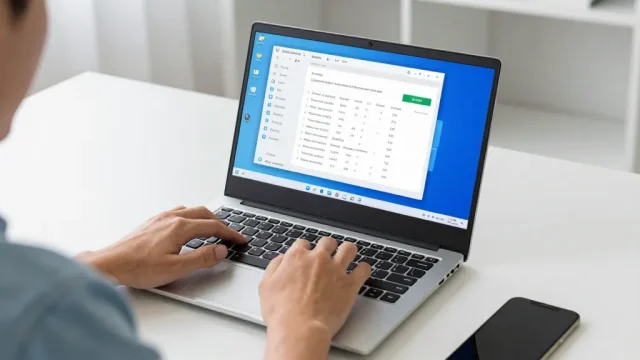
Installing the Windows 11 KB5132057 update is straightforward for most users, as it is available through the standard Windows Update system. Whether you're a home user or part of an organization, the process is designed to be simple and accessible.
- Open the Windows Settings app by pressing the Windows key and typing 'Settings'.
- Navigate to the 'Windows Update' section and click 'Check for Updates'.
- If KB5132057 is available, select 'Download and Install' to begin the update process.
- Restart your device when prompted to complete the installation.
Step-by-Step Guide to Installing KB5132057
For most users, the KB5132057 update is available as an optional update through the Windows Update system. This means it won't be installed automatically, giving you control over when to apply the changes. Simply follow the steps outlined above to check for and install the update. If you're running Windows 11 versions 25H2 or 26H2, you should see the update listed in the Windows Update settings.
How to Enable the New Run Dialog
After installing the KB5132057 update, you can enable the new Run dialog by navigating to the appropriate settings. Open the Windows Settings app, go to 'System', and then select 'Advanced'. From there, toggle on the 'New Run dialog' option to activate the refreshed design and improved performance of the Run dialog. This change is part of the update's enhancements, which aim to improve user experience and efficiency.
What You Can Expect After the KB5132057 Update
After installing the Windows 11 KB5132057 update, users can expect a more streamlined and efficient interface, enhanced security features, and faster system interactions. These improvements are designed to make daily tasks more intuitive and efficient, contributing to a smoother overall experience.
Improved User Experience
The new Search Box experience, built on WinUI 3, offers a more modern and efficient way to search for files and system resources. This update removes promotional content from web results, which not only improves resource efficiency but also streamlines the user interface for a cleaner, more focused search experience. Users will find that searching for files and applications is quicker and more accurate, with a redesigned layout that aligns with the overall aesthetic of Windows 11.
Enhanced System Performance
Windows Hello facial recognition has been significantly improved, especially in low-light conditions. Users can now sign in to their accounts more reliably in dark environments by enabling the 'Automatically adjust screen brightness during face recognition' option. This enhancement ensures that even in dimly lit rooms, the facial recognition process remains efficient and secure. Additionally, the new Run dialog provides faster access to system commands, with a near-instant time-to-show of just 94 ms, making it a valuable tool for power users and everyday users alike.
When to Use the KB5132057 Update
The KB5132057 update is optional and does not include security patches, making it ideal for users who want to test new features before they become available in future updates. While it offers quality improvements and new functionalities, it is not essential for everyday use unless you want to experience the latest enhancements to Windows Search, Windows Hello, or the new Run dialog.
Is the KB5132057 Update Worth Installing?
For regular users, installing the KB5132057 update can provide a smoother and more efficient Windows 11 experience. The new Windows Search Box built on WinUI 3, faster Run dialog, and improved facial recognition are notable enhancements that could make your daily tasks more convenient. If you value a modern and streamlined interface, the update is worth considering.
When Should You Install the KB5132057 Update?
IT administrators should consider installing the KB5132057 update as a preview of upcoming changes that will be available in the next Patch Tuesday release. This allows them to test the new features in a controlled environment before rolling them out to all users. However, due to the absence of security patches, it is recommended to wait for the official security update before applying it to production systems.
Frequently Asked Questions
Does the KB5132057 update include security fixes?
The KB5132057 update is an optional update and does not include security fixes. It focuses on quality improvements and new features.
How can I enable the new Run dialog after installing the update?
To enable the new Run dialog, go to Settings > System > Advanced, and toggle on 'New Run dialog'.
What are the main changes introduced in KB5132057?
KB5132057 introduces a new Windows Search Box experience, improved Windows Hello facial recognition, and a modern Run dialog with faster performance.
Can I install the KB5132057 update manually?
You can install the KB5132057 update manually through Windows Update or by using the offline installer (.msu) file.
Final Thoughts
The KB5132057 update offers several improvements, including enhanced search functionality and better facial recognition. These changes aim to improve the overall user experience and system performance.
If you're looking for quality improvements and new features, installing the KB5132057 update is worth considering. Ensure you follow the installation steps provided to enable all new features.