Fixing MyQ Garage Opener Reboot Issues with AES Key Dump
Homeowners using MyQ garage openers may be frustrated by frequent reboots when their device loses internet access. The MyQ Home Bridge, or 819LMB, is designed to connect to Chamberlain's cloud services, but without a stable connection, it can crash repeatedly, disrupting HomeKit integration. This issue is particularly problematic for those on isolated networks or IoT VLANs, where the device attempts to 'phone home' and eventually reboots. A key technical solution involves the myq garage opener aes key, which allows for a workaround that prevents these reboots. In this article, we explore how the AES key can be used to stop the reboot cycle and keep your system running smoothly. We'll cover the problem, the role of the AES key, and how to implement a local cloud spoofing solution. By understanding the underlying mechanics, homeowners can take control of their MyQ garage opener's stability without relying on internet connectivity.
Understanding the MyQ Garage Opener Reboot Problem
The MyQ garage opener reboot issue stems from its reliance on cloud-based MQTT servers for maintaining connectivity and functionality. When the device loses internet access, it attempts to reconnect repeatedly, which can trigger a series of events leading to unexpected reboots.
How the MyQ Home Bridge Works Offline
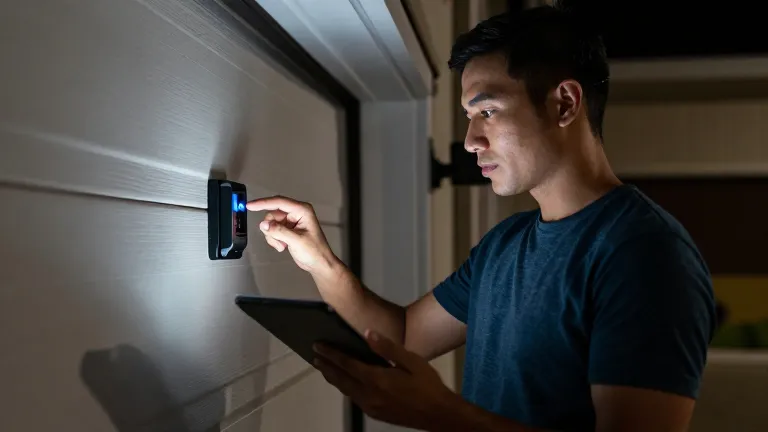
The MyQ Home Bridge (819LMB) operates by maintaining a connection to Chamberlain's cloud MQTT servers to ensure seamless integration with smart home systems like HomeKit. When the device is offline, it continues to attempt connections to these servers, often through domains such as connect.myqdevice.com and connect1.myqdevice.com. If these connections are blocked or unresolved, the device enters a loop of failed attempts, eventually leading to reboots.
Why Watchdog Timers Cause Reboots
Watchdog timers are designed to monitor the device's health and ensure it remains operational. However, when the MyQ Home Bridge cannot access the cloud MQTT servers, it fails to receive the necessary 'ping' messages that confirm its connection. As a result, the watchdog timer triggers a reboot after approximately 30 minutes, causing the device to become unresponsive during this period. This cycle repeats unless the device successfully reconnects or receives the required confirmation from the cloud.
What Is an AES Key and Why Is It Important?
An AES key is a cryptographic key used to encrypt and decrypt data, ensuring secure communication between devices. In the context of the MyQ garage opener, the AES key plays a crucial role in establishing a secure connection between the MyQ Home Bridge and Chamberlain's cloud servers. This key is essential for authenticating the device and allowing it to send and receive data, such as status updates and commands. Without the correct AES key, the device cannot establish a valid connection, which can lead to communication failures and system instability.
Dumping the AES key from the MyQ device enables it to locally mimic the cloud connection, effectively bypassing the need for a live internet connection. By having access to the key, the device can generate and validate secure messages as if it were communicating with the cloud servers. This local spoofing allows the MyQ Home Bridge to maintain its connection and prevent the watchdog timer from triggering a reboot. This method is vital for users who need to keep their garage opener operational in environments with limited or no internet access.
The importance of the AES key extends beyond just maintaining connectivity. It is a fundamental part of the workaround that prevents the device from rebooting due to failed connection attempts. By simulating the cloud connection locally, the device can continue to function and remain integrated with HomeKit, ensuring that the homeowner can still control their garage door remotely. However, it is essential to handle the AES key with care, as improper use could compromise the security of the system.
How to Dump the AES Key From Your MyQ Garage Opener
Dumping the AES key from your MyQ garage opener requires careful preparation and the right tools. This process involves accessing the device’s internal memory and extracting the key without compromising its functionality. It is essential to follow precise steps to avoid damaging the device or causing data loss.

- A serial cable or wireless interface to connect to the MyQ Home Bridge.
- A firmware extraction tool capable of reading the device’s internal storage.
- A secure method to decrypt the key once it is extracted.
- A backup of the original firmware and configuration files.
Tools You'll Need to Extract the AES Key
To extract the AES key, you will need a serial cable or a wireless interface to connect to the MyQ Home Bridge. This allows access to the device’s internal memory and communication protocols. A firmware extraction tool is also necessary to read the storage and extract the key. Ensure that the tools are compatible with the device’s hardware and firmware version to avoid compatibility issues.
Steps for Safely Dumping the Key
Once the tools are prepared, connect the MyQ Home Bridge to your computer and use the firmware extraction tool to access the internal memory. Locate the section where the AES key is stored, which may require some technical knowledge of the device’s firmware structure. Extract the key carefully, ensuring that no other data is inadvertently modified. After extraction, verify the key’s integrity to ensure it is correctly obtained and ready for use in setting up a local cloud spoofing solution.
Setting Up a Local Cloud Spoofing Solution
Once the AES key is extracted, setting up a local MQTT server is crucial to mimic the cloud environment and prevent the MyQ Home Bridge from rebooting. This local server acts as a substitute for the actual cloud services, ensuring the device remains stable and functional even without internet access.
How to Create a Local MQTT Server
Creating a local MQTT server involves selecting and configuring a suitable software tool that supports MQTT protocols. Tools like Mosquitto or EMQX can be used to set up a local broker. Ensure the server is configured to listen on the correct port and is accessible to the MyQ Home Bridge within your network. This setup allows the device to communicate with the local server as if it were connecting to the cloud.
Configuring the Server to Mimic the Cloud
To mimic the cloud, the local MQTT server must be configured to respond to the MyQ device's connection attempts with the appropriate data. This includes setting up topics and messages that match the expected behavior of the cloud MQTT servers. The server should also handle retained messages and subscriptions to maintain a stable connection. Proper configuration ensures the MyQ device remains connected without triggering the watchdog timer, thus preventing unexpected reboots.
Benefits and Risks of the AES Key Workaround
The AES key workaround offers a reliable solution to prevent the MyQ Home Bridge from rebooting during network outages, ensuring continuous operation in HomeKit. While it significantly improves device stability, it also carries notable risks that must be carefully managed.
Advantages of Using the AES Key Solution
By dumping the AES key, users can bypass the cloud dependency that triggers the watchdog timer, preventing the device from crashing every 30 minutes. This method allows the MyQ Home Bridge to function offline without losing connectivity to HomeKit, making it ideal for environments with unreliable or blocked internet access. The local cloud spoofing setup further enhances reliability by simulating the cloud MQTT server, ensuring the device remains responsive even when the internet is down.
Important Safety Considerations
However, extracting and using the AES key involves risks, including potential security vulnerabilities and the possibility of damaging the device. Mishandling the key or incorrect configuration of the local MQTT server can lead to unintended behavior, such as bricking the MyQ Home Bridge. Additionally, the process requires advanced technical knowledge, and any mistake in the key extraction or spoofing setup may result in permanent device failure. To mitigate these risks, it is essential to back up the device’s firmware before attempting any key extraction or modification. This precaution ensures that a recovery option is available in case of errors during the process.
Frequently Asked Questions
Can I safely dump the AES key without damaging my MyQ garage opener?
Dumping the AES key can be done safely if you follow proper procedures and use the right tools. However, it's important to back up your device and understand the risks before proceeding.
What are the risks of using a spoofed cloud server for my MyQ device?
Using a spoofed cloud server may expose your device to security vulnerabilities. It can also lead to unexpected behavior or instability if not configured correctly.
How do I know if my MyQ garage opener is rebooting due to internet connectivity issues?
You can check for frequent reboots and unresponsiveness in HomeKit. If your device is isolated from the internet, it may reboot every 5–10 minutes due to failed connection attempts.
Is it possible to prevent reboots without using an AES key dump?
While a naive solution may reduce reboot frequency, it does not fully resolve the issue. A complete fix typically requires AES key dumping and local cloud spoofing.
Next Steps and Final Thoughts
By following the outlined steps, you can effectively prevent your MyQ garage opener from rebooting due to internet issues. Ensure that you understand the risks and take necessary precautions before proceeding.
Now that you have the knowledge to address this problem, take the next step by gathering the required tools and following the safe procedures to dump the AES key.